Courses by birth year
Create the courses (year-long, four-month, once or twice a week) and set the birth years: online, each family sees only the courses suitable for their child's age.
Year-long courses by birth year, membership cards and fees even in installments, medical certificates with expiry dates: with Campify families register and pay online, and you have the whole season under control.
Who paid the second installment? Who still has to pay for the membership card? Endless checks between bank transfers and cash.
Medical certificates that expire mid-season without anyone noticing.
Different courses for each birth year and families picking the wrong one.
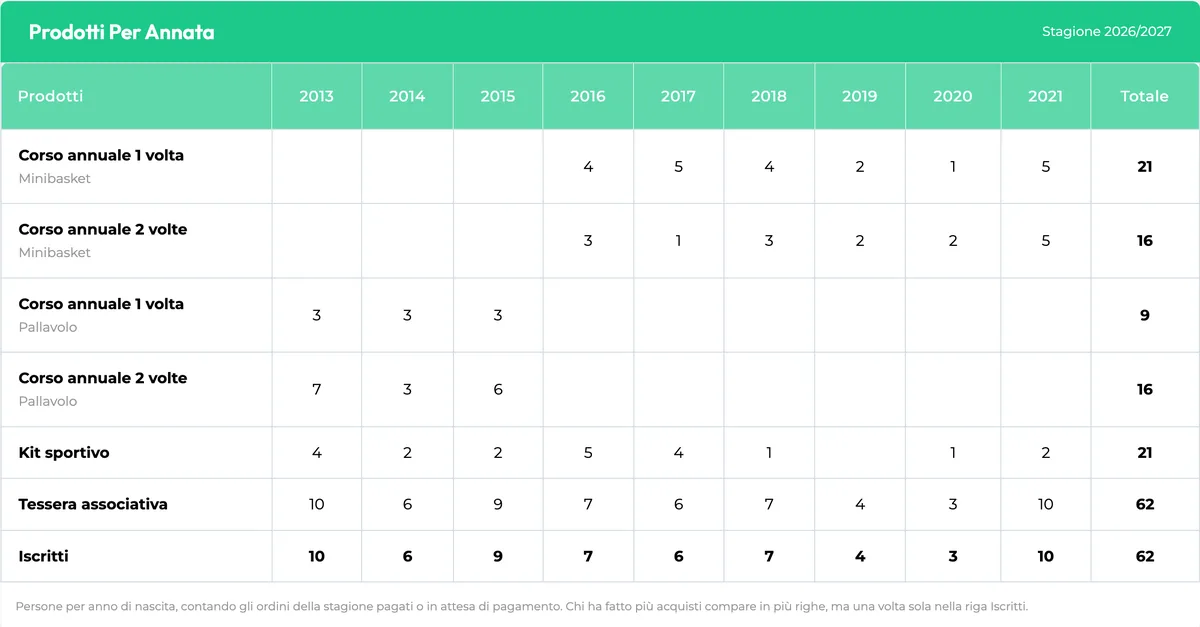
How many registrations per birth year? How many train twice a week? Always counted by hand.
From year-long courses to camps, from membership cards to certificates: Campify supports your club all year round.
Create the courses (year-long, four-month, once or twice a week) and set the birth years: online, each family sees only the courses suitable for their child's age.
Membership cards, registrations and courses even in installments with set due dates: the first installment is paid right away, the others on the set dates, with an email reminder.
The sibling discount applies automatically to courses a sibling has already bought this season. And there are discount codes, which can also be combined.
Every member has their own document archive with expiry dates: you see right away who has an expired or expiring medical certificate.
The membership card or membership fee is added automatically to the first purchase of the season, together with the consents to accept: privacy, photos, rules.
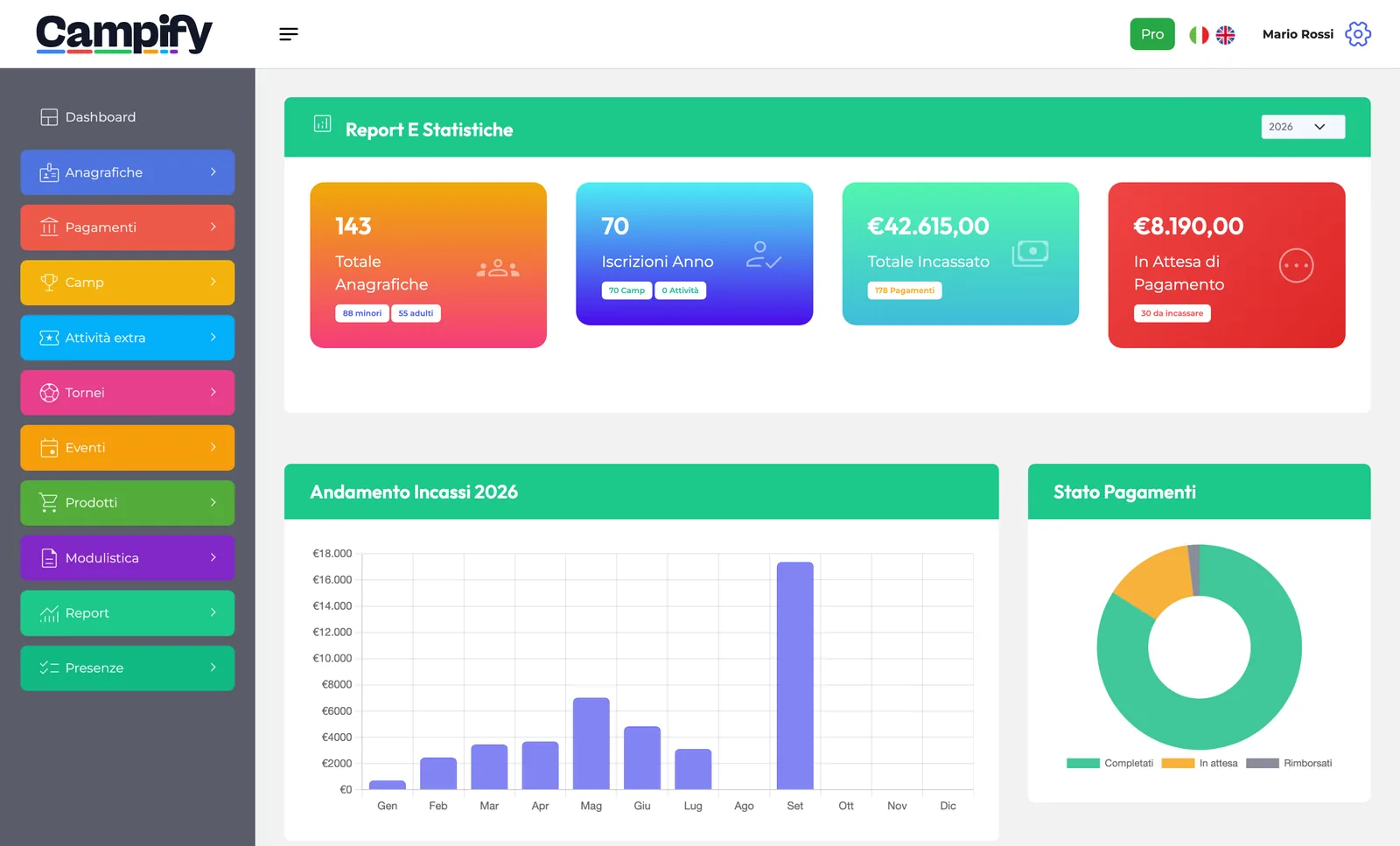
Registrations by birth year for each course, monthly revenue and pending payments at a glance, with payments exported to Excel.
Courses, birth years, prices, installments, membership card and required documents.
Families sign up with your link, choose the right course for their child and pay.
Installments, receipts and expiring certificates always under control.
Reports by birth year, revenue and Excel exports whenever you need them.
If you manage several organizations, for example the youth program and the first team, you link them to the same account and switch between them in one click.
Families use a single login for all the organizations they're registered with, and find courses, camps and events together.
No card required: set up your first activity and share the link with families.